Fill in any form in seconds.
Formly is an AI Chrome extension for students. One click fills club sign-ups, event registrations and applications, including the "Why do you want to join?" answers. And it learns something new every time you submit.
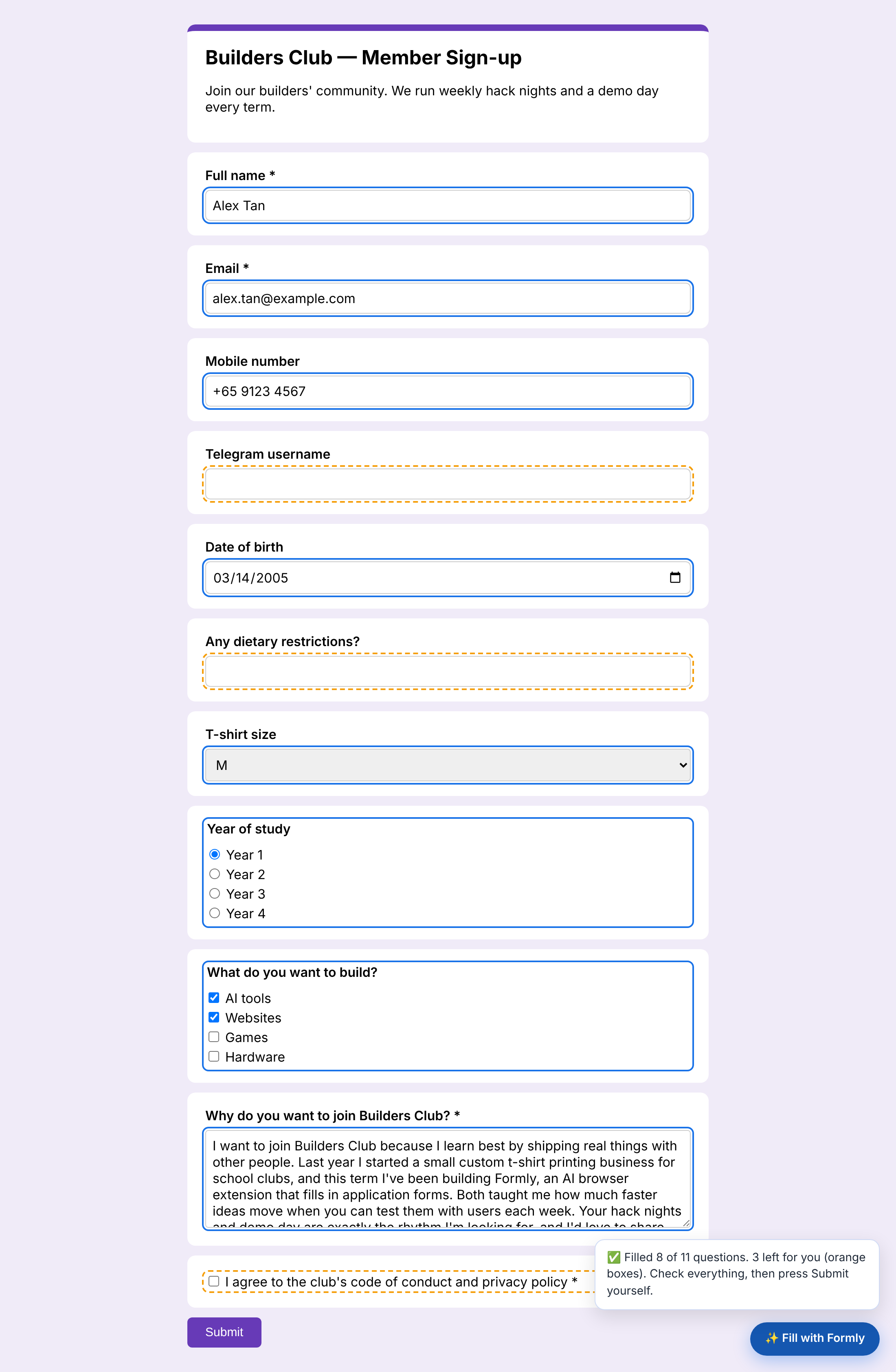
Formly is an AI Chrome extension for students. One click fills club sign-ups, event registrations and applications, including the "Why do you want to join?" answers. And it learns something new every time you submit.
Three steps. You stay in control the whole time.
Fill in your profile, or upload your resume or LinkedIn PDF and let the AI fill it for you.
Formly reads every question, finds the right facts and writes long answers from your real experience.
Blue boxes are filled, orange ones are for you. Formly never presses Submit for you.
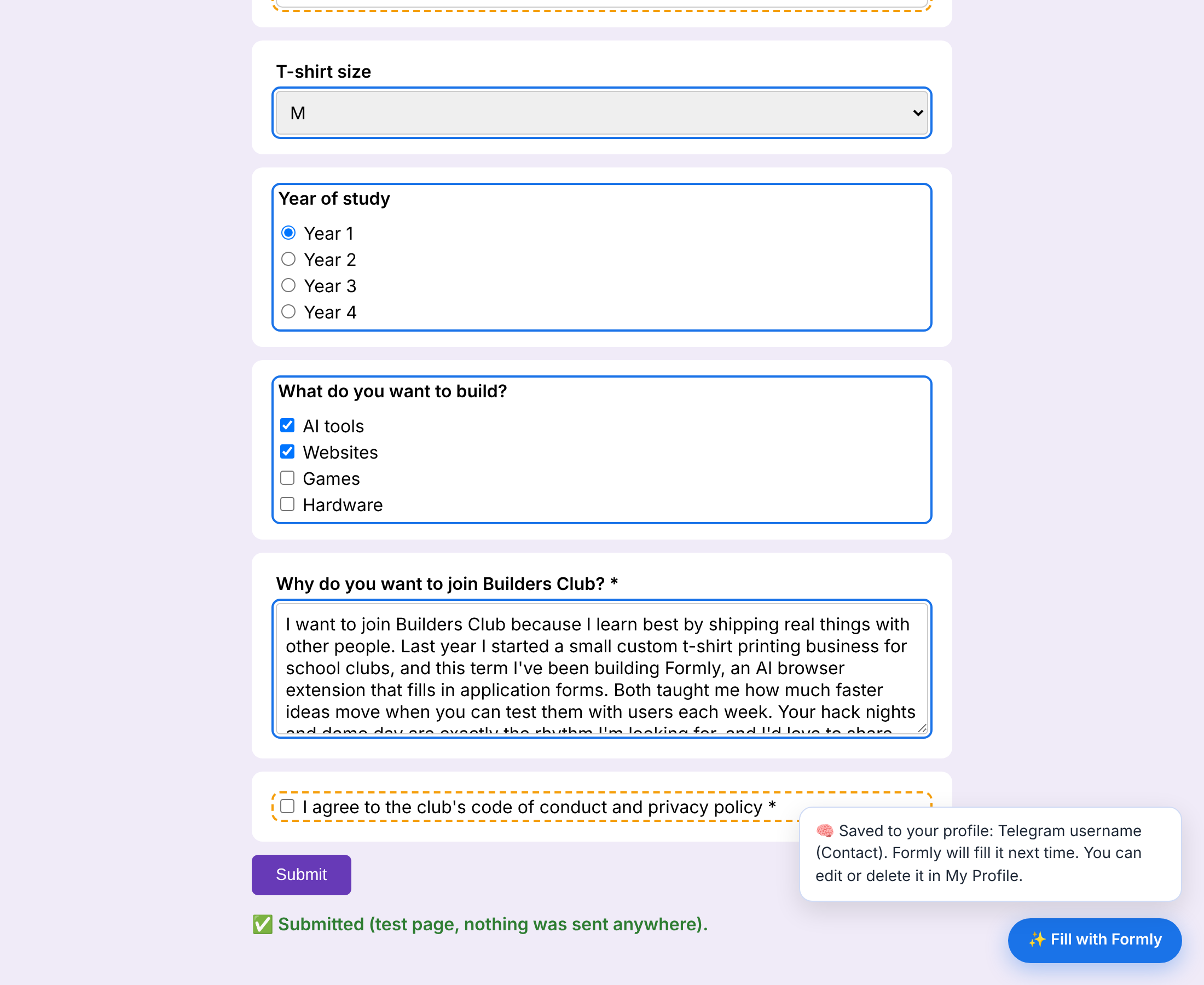
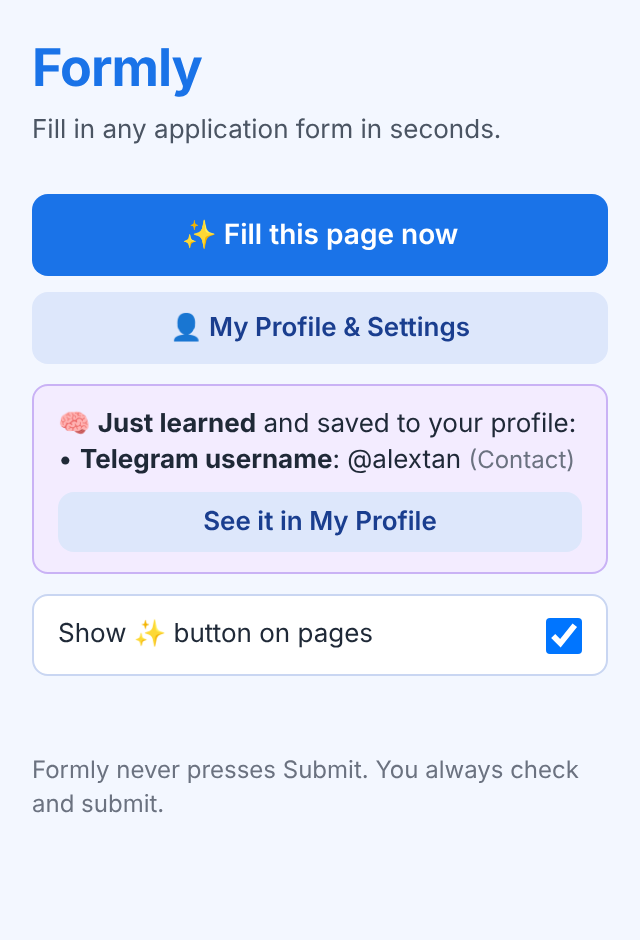
Form A asks for your Telegram username and Formly doesn't know it. You type it and press Submit. Formly saves it into the Contact section of your profile. On Form B, it's filled for you.
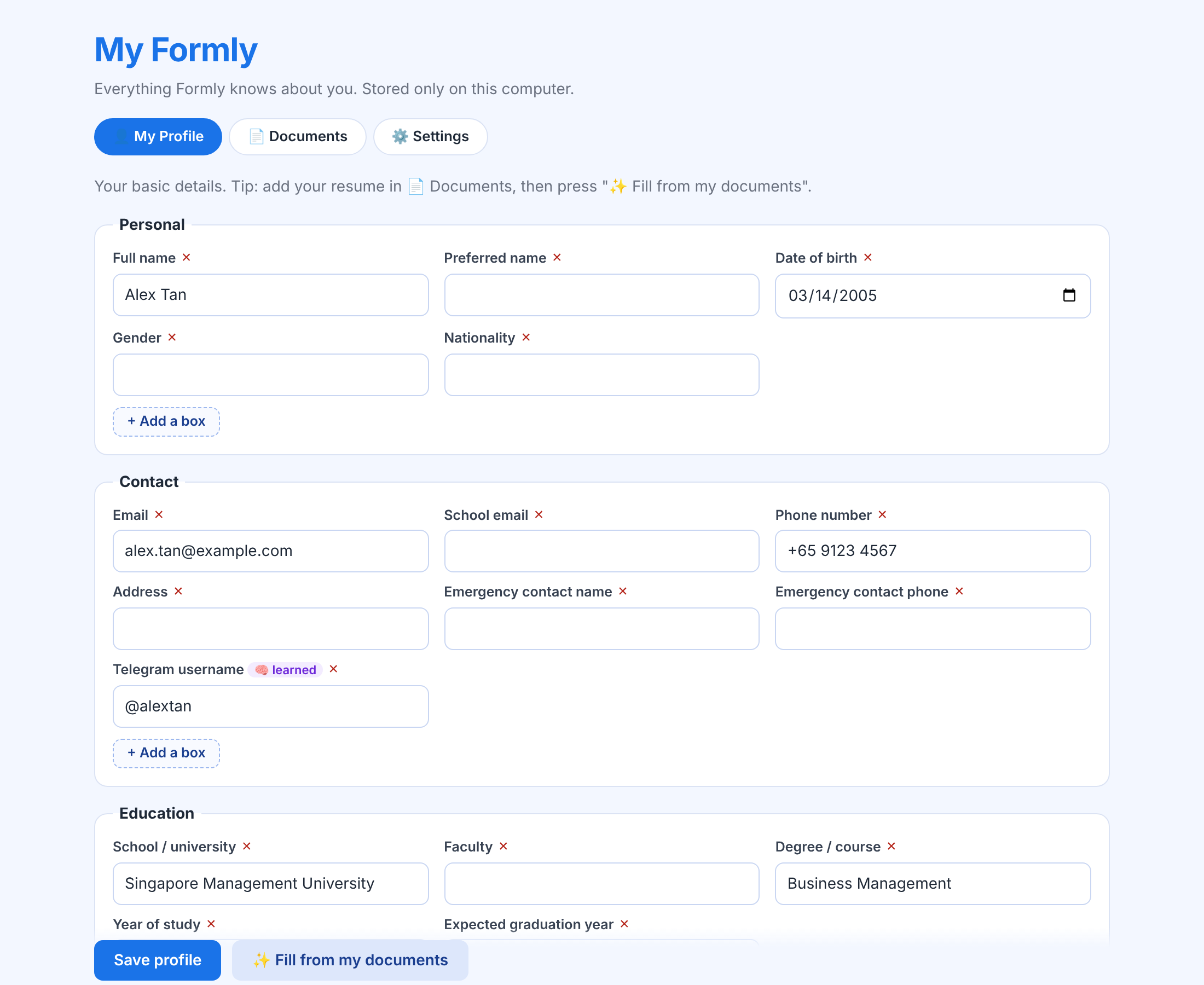
Learned boxes are tagged, show which website they came from, and can be edited or deleted any time.
A full profile page that you control.
Sections for personal, contact, education and more. Add your own boxes, delete any box.
Resume, LinkedIn "Save to PDF", personal statements. Read on your computer, searched for the best parts.
The button appears on real forms, not on Google Docs, Gmail or search pages. Switch it off any time.
Free, open-source, takes about 3 minutes. You need Chrome on a laptop; no API key, the extension uses the AI Lodge's Formly server.
▶ Try the demo playground first: no install
chrome://extensions and turn on Developer mode.client folder.